The maker’s own dryer documentation says it in one sentence: if a code beginning with F appears in the display, alternating between F# and E#, the control has detected a problem. It is not two codes and it is not a problem with the panel. It is one address printed in two halves, because the display is not wide enough to hold it. The practical consequence is the commonest mistake we hear on the phone: somebody looks, writes down F7, and does not know that the E-half was on the glass two seconds later. Watch it for ten seconds, photograph both, and you have something a technician can act on.
599 code pages · read from the maker's own base
The letter and the number are two halves of one address.
A Whirlpool display alternates: it shows you F#, then E#, then F# again. Half a code is not an address, which is why so many people arrive holding one. This archive is organized the way the maker's own base is — one page per code per appliance — because F3E1 is a water pressure reading on a washer, an exhaust thermistor on a dryer and an oven temperature sensor on a range.
- 599 code pages published here
- 1,108 code pages in the maker's own base
- 176 of them on wall ovens alone
- 0 on top-freezer refrigerators
All of them
The full index
Filter by appliance first, because on this platform the appliance is part of the answer. The same characters are a different report on a washer, a dryer and a range, and typing both halves of the code finds the page faster than typing one.
- C81 OR C83 Turn all surface controls to OFF.
- C82 Turn off oven if it is operating.
- E2 Error Code: E_2
- E90 Error Code: E90
- E91 Error Code: E91
- E92 Error Code: E92
- E93 Error Code: E93
- E_03 Error Code: E_03
- E_13 Error Code: E_13
- E_2 Error Code: E_2
- E_21 Error Code: E_21
- E_22 Error Code: E_22
- E_3 Error Code: E_3
- E_35 Error Code: E_35
- E_4 Error Code: E_4
- E_5 Error Code: E_5
- E_6 Error Code: E_6
- E_7 Error Code: E_7
- E_8 Error Code: E_8
- E_A Error Code: E_A
- E_H Error Code: E_H
- F0 OR F00 F0 OR F00 on a cooktop
- F03 F03 on a cooktop
- F0E1 F0E1 on a cooktop
- F0E2 F0E2 on a cooktop
- F0E4 F0E4 on a cooktop
- F0E6 F0E6 on a cooktop
- F0E8 F0E8 on a cooktop
- F0EA The cooktop is too hot
- F0EC F0EC on a cooktop
- F12 Element
- F13 F13 on a cooktop
- F1E0 F1E0 on a cooktop
- F1E1 F1E1 on a cooktop
- F1E7 Control
- F1E9 Control
- F2 F2 on a cooktop
- F2 E1 F2 E1 on a cooktop
- F21 F21 on a cooktop
- F22 F22 on a cooktop
- F25 F25 on a cooktop
- F36 F36 on a cooktop
- F36, F37 F36, F37 on a cooktop
- F4 F4 on a cooktop
- F40 User interface, touchpad or control board
- F42 Control board
- F43 Control board
- F47 Control board, user interface or touchpad
- F56 User interface or touchpad
- F58 Control board
- F60 User interface or touchpad
- F61 User interface or control
- F63 User interface or control
- F64 User interface or control
- F6E0 F6E0 on a cooktop
- F6E1 F6E1 on a cooktop
- F6E4 F6E4 on a cooktop
- F7E5 F7E5 on a cooktop
- F7E6 F7E6 on a cooktop
- F8 Turn off the surface cooking area.
- FC E0 FC E0 on a cooktop
- FC E1 User interface or touchpad
- FC E4 User interface or touchpad
- FC LF Element
- FC LR Element
- FC RF Element
- FC RR Element
- H H on a cooktop
- LOCK Control
- OTHER F CODE User interface, touchpad or control board
- U U U U on a cooktop
- CONTROL LOCK Control
- DISHWASHER DISHWASHER on a dishwasher
- F1E1 Potential Cause: Control Module
- F4E2 Potential Cause: Heating System
- F4E3 Potential Cause: Heating Error
- F6E1 User interface or control
- F7E2 Potential Cause: Wash Motor Error
- F8E4 Remove the Code
- F8E5 Potential Cause: Fill Valve Stuck Open
- F9E1 Check the drain line for kinks
- F9E2 Potential Cause: Drain motor error
- GLOWING RED GLOWING RED on a dishwasher
- H2O Potential Cause: Not Detecting Water
- 0E 0E on a dryer
- 0G 0G on a dryer
- 3E 3E on a dryer
- 6E 6E on a dryer
- AF Try the following:
- DC DC on a dryer
- DO DO on a dryer
- E1 E1 on a dryer
- E2 E2 on a dryer
- E3 E3 on a dryer
- ERR Cycle Power
- F01 F01 on a dryer
- F01 TO F04 F01 TO F04 on a dryer
- F02 F02 on a dryer
- F05 TO F09 F05 TO F09 on a dryer
- F1 E1 F1 E1 on a dryer
- F1 E4 Did you receive a F1E4 alert?
- F10 TO F24 F10 TO F24 on a dryer
- F1E3 Did you receive an F1E3 alert?
- F1E5 Did you receive a F1E5 alert?
- F20 F20 on a dryer
- F22 F22 on a dryer
- F23 F23 on a dryer
- F24 F24 on a dryer
- F25 F25 on a dryer
- F26 F26 on a dryer
- F28 F28 on a dryer
- F29 F29 on a dryer
- F2E1 F2E1 on a dryer
- F2E2 F2E2 on a dryer
- F2E4 Did you receive an F2E4 alert?
- F2E5 Did you receive a F2E5 alert?
- F3 E1 Exhaust Thermistor
- F3 E2 F3E2 - Moisture Sensor
- F3 E3 F3E3 Inlet Thermistor
- F3 E4 F3 E4 on a dryer
- F3 E5 F3E5 - Moisture Sensor
- F30 Try the following:
- F31 Control displaying F31:
- F4 E1 Heater
- F4 E3 Try the following:
- F4 E4 Home power supply
- F50 F50 on a dryer
- F6 E1 Control displaying F6 E1:
- F6 E2 Did you receive a F6E2 alert?
- F6E3 Did you receive an F6E3 alert?
- F70 F70 on a dryer
- F71 F71 on a dryer
- F9 E2 F9 E2 on a dryer
- FC E1 FC E1 on a dryer
- FE FE on a dryer
- HE HE on a dryer
- L2 Home power supply
- LF LF on a dryer
- LOC Control
- LOC OR LC Control
- PF PF on a dryer
- TS TS on a dryer
- WATER TANK There is an issue with the water tank
- ACCUPOP FAIL Sensor
- DEMO MODE Is demo mode turned on?
- E03 Keypad or user interface
- E11 Gas sensor
- E12 Gas sensor
- E13 Appliance control board
- E21 Thermal sensor or appliance control board
- E22 Thermal sensor or appliance control board
- E23 Heater or appliance control board
- E24 Thermal sensor, gas sensor or appliance control board
- E61 Sensor or appliance control board
- E62 Oven sensor, sensor or appliance control board
- E63 Oven sensor, sensor or appliance control board
- F1E1 Relay control board
- F1E4 Appliance control board
- F2 Keypad or user interface
- F2E1 User interface or keypad
- F2H1 Fan or switch
- F2H2 Fan or switch
- F2Q1 User interface or touchpad
- F3C Thermistor
- F3H Thermistor
- F3H1 Sensor
- F3T1 User interface or thermistor
- F3T2 F3.t2
- F3T3 Thermistor
- F3T4 Thermistor
- F4E1 Thermistor
- F4E4 Thermistor
- F4E9 Control
- F6 Relay control board
- F6E0 Appliance control board
- F7 Appliance control board
- F7 E9 F7 E9 on a microwave
- F8E5 Temperature sensor
- F9 Appliance control board or relay control board
- F9Q F9Q on a microwave
- F9Q1 User interface
- FC E1 FC E1 on a microwave
- FC E2 FC E2 on a microwave
- FC E3 FC E3 on a microwave
- FC E7 FC E7 on a microwave
- FC E8 FC E8 on a microwave
- FCE1 FCE1 on a microwave
- FCE2 FCE2 on a microwave
- FCE3 FCE3 on a microwave
- FCE7 FCE7 on a microwave
- FCE8 FCE8 on a microwave
- SE Keypad or user interface
- 1C1C User interface or keypad
- 1C2C User interface or keypad
- 1C31 Oven control
- 1C32 Oven control
- 1C4C Oven control
- 1C6C Oven control
- 1C7C Oven control
- 1C81 Oven control
- 1C82 Oven control
- 1C8C Oven control
- 1D11 Oven temperature sensor or control
- 1D12 Oven temperature sensor or control
- 1D21 Oven temperature sensor or control
- 1D22 Oven temperature sensor or control
- 3D11 Oven temperature sensor or control
- 3D12 Oven temperature sensor or control
- 3D21 Oven temperature sensor or control
- 3D22 Oven temperature sensor or control
- 3D31 3D31 on an oven
- 3D32 3D32 on an oven
- 3D41 3D41 on an oven
- 3D51 Oven control
- 4D11 Oven door latch assembly or door switch
- 4D12 Oven door latch assembly or door switch
- 4D21 Cooling fan
- 4D22 Cooling fan
- 4D31 Oven control
- 4D32 Oven control
- 4D41 Cooling fan
- 4D42 Cooling fan
- 4D51 Oven door latch assembly or door switch
- 4D52 Oven door latch assembly or door switch
- 9D11 Oven door latch assembly or door switch
- 9D12 Oven door latch assembly or door switch
- 9D21 Oven door latch assembly or door switch
- 9D22 Oven door latch assembly or door switch
- 9D31 Oven door latch assembly or door switch
- 9D32 Oven door latch assembly or door switch
- 9D41 Oven door latch assembly or door switch
- 9D42 Oven door latch assembly or door switch
- 9D51 Oven door latch assembly or door switch
- 9D52 Oven door latch assembly or door switch
- 9D61 Oven door latch assembly or door switch
- 9D62 Oven door latch assembly or door switch
- CALL SERVICE Press the Cancel button or pad to reset.
- DEMO MODE What it does:
- F0 E0 F0 E0 on an oven
- F01 Oven temperature sensor or control
- F02 Oven temperature sensor or control
- F03 Oven control
- F04 Oven control
- F05 Door latch assembly or door switch
- F06 Control
- F1 Oven temperature sensor or control
- F1 E0 User interface, touchpad or control
- F1 E1 Appliance manager or control
- F1 E2 User interface
- F1 E3 Ossible Solutions
- F1 E4 Appliance manager
- F1 E5 F1 E5 on an oven
- F1 E6 Thermistor or sensor
- F1 E7 Appliance control board
- F1 E9 Appliance control board
- F13 Start a cycle.
- F2
- F2 E0 User interface, keypad or control
- F2 E1 User interface, keypad or control
- F2 E2 User interface, keypad or control
- F2 E3 User interface, keypad or control
- F2 E4 User interface, keypad or control
- F2 E5 User interface, keypad or control
- F2 E6 User interface, keypad or control
- F3 Oven control
- F3 E0 Oven temperature sensor or control
- F3 E1 Oven temperature sensor or control
- F3 E2 Oven temperature sensor or control
- F3 E3 Oven temperature sensor or control
- F3 E4 F3 E4 on an oven
- F3 E5 Oven temperature sensor or control
- F3 E6 Oven temperature sensor or control
- F3 E7 Oven temperature sensor or control
- F3 E8 Oven temperature sensor or control
- F3 E9 Oven temperature sensor or control
- F3E4 F3E4 on an oven
- F4 Control
- F4 E0 F4 E0 on an oven
- F4 E1 Thermistor or appliance manager
- F4 E2 Sensor, thermistor or appliance manager
- F4 E3 Temperature sensor
- F4 E4 Sensor or appliance manager
- F4 E5 Sensor
- F4 E6 Temperature sensor
- F4 E7 F4 E7 on an oven
- F4 E8 F4 E8 on an oven
- F4 E9 F4 E9 on an oven
- F5 Oven door latch assembly
- F5 E0 Door latch assembly or door switch
- F5 E1 Door latch assembly or door switch
- F5 E2 Door latch assembly or door switch
- F5 E3 Oven door latch assembly or door switch
- F5 E4 Oven door latch assembly or door switch
- F5 E5 Oven door latch assembly or door switch
- F5 E7 Oven door latch assembly or door switch
- F6 Oven control
- F6 E0 F6 E0 on an oven
- F6 E1 Appliance manager or control
- F6 E2 Appliance manager or control
- F6 E3 Appliance manager or control
- F6 E4 Appliance manager or control
- F6 E5 Control
- F6 E6 Control
- F6 E7 Appliance manager
- F6 E8 Control
- F6 E9 Appliance manager
- F6 EA User interface or control
- F7 E0 Sensor
- F7 E1 Temperature sensor
- F7 E2 F7 E2 on an oven
- F7 E3 F7 E3 on an oven
- F7 E4 Sensor
- F8 Start a cycle.
- F8 E0 Cooling fan
- F8 E1 Cooling fan
- F8 E2 Cooling fan
- F8 E3 Cooling fan
- F8 E4 Fan or temperature sensor
- F8 E5 Fan or temperature sensor
- F9 Start a cycle.
- FC E1 FC E1 on an oven
- FC E2 FC E2 on an oven
- FC E3 FC E3 on an oven
- FC E4 Wi-Fi Antenna
- FC E5 Wi-Fi Antenna
- FC E6 Wi-Fi Power Module
- FC E7 FC E7 on an oven
- FC E8 FC E8 on an oven
- FC E9 Wi-Fi Power Module
- PUSH OR PSH Press Start
- SABBATH MODE What is Sabbath Mode?
- 1C1C User interface or keypad
- 1C2C User interface or keypad
- 1C31 Oven control
- 1C32 Oven control
- 1C4C Oven control
- 1C6C Oven control
- 1C7C Oven control
- 1C81 Oven control
- 1C82 Oven control
- 1C8C Oven control
- 1D11 Oven temperature sensor or control
- 1D12 Oven temperature sensor or control
- 1D21 Oven temperature sensor or control
- 1D22 Oven temperature sensor or control
- 3D11 Oven temperature sensor or control
- 3D12 Oven temperature sensor or control
- 3D21 Oven temperature sensor or control
- 3D22 Oven temperature sensor or control
- 3D31 3D31 on a range
- 3D32 3D32 on a range
- 3D41 3D41 on a range
- 3D51 Oven control
- 4D11 Oven door latch assembly or door switch
- 4D12 Oven door latch assembly or door switch
- 4D21 Cooling fan
- 4D22 Cooling fan
- 4D31 Oven control
- 4D32 Oven control
- 4D41 Cooling fan speed too high.
- 4D42 Cooling fan speed too high.
- 4D51 Oven door latch assembly or door switch
- 4D52 Oven door latch assembly or door switch
- 9D11 Oven door latch assembly or door switch
- 9D12 Oven door latch assembly or door switch
- 9D21 Oven door latch assembly or door switch
- 9D22 Oven door latch assembly or door switch
- 9D31 Oven door latch assembly or door switch
- 9D32 Oven door latch assembly or door switch
- 9D41 Oven door latch assembly or door switch
- 9D42 Oven door latch assembly or door switch
- 9D51 Oven door latch assembly or door switch
- 9D52 Oven door latch assembly or door switch
- 9D61 Oven door latch assembly or door switch
- 9D62 Oven door latch assembly or door switch
- DEMO MODE DEMO MODE on a range
- ES OR E5 Energy Save is active (some models)
- F0 E0 F0 E0 on a range
- F01 Oven temperature sensor or control
- F02 Oven temperature sensor or control
- F03 Oven control
- F04 Oven control
- F05 Door latch assembly or door switch
- F06 Control
- F1 Oven temperature sensor or control
- F1 E0 Oven control
- F1 E1 Oven control
- F1 E2 Oven control
- F1 E5 Oven control
- F1 E7 Appliance control board
- F1 E9 Appliance control board
- F1-1 Oven temperature sensor or control
- F1-2 Oven temperature sensor or control
- F1-3 Oven temperature sensor or control
- F1-5 Oven control, user interface or keypad
- F1-7 Oven control
- F1-8 Oven control, user interface or keypad
- F1-9 Oven control
- F1-A Switch
- F1-C Switch
- F1-E Oven control
- F1-H Oven temperature sensor or control
- F1-L Oven temperature sensor or control
- F2 Oven temperature sensor or control
- F2 E0 User interface, keypad or control
- F2 E1 Are the grates installed correctly?
- F2 E2 User interface, keypad or control
- F2 E3 User interface, keypad or control
- F2 E4 User interface, keypad or control
- F2 E5 User interface, keypad or control
- F2 E6 User interface, keypad or control
- F3 Oven control
- F3 E0 Oven temperature sensor or control
- F3 E1 Oven temperature sensor or control
- F3 E2 Oven temperature sensor or sensor
- F3 E3 Oven temperature sensor
- F3 E4 F3 E4 on a range
- F3-1 Oven temperature sensor or control
- F5 Oven door latch assembly
- F5 E0 Oven door latch assembly or door switch
- F5 E1 Oven door latch assembly or door switch
- F5 E2 Oven door latch assembly or door switch
- F5 E3 Oven door latch assembly or door switch
- F5 E5 F5 E5 on a range
- F5 E7 Oven door latch assembly or door switch
- F6 Oven control
- F6 E0 Oven control or appliance manager
- F6 E1 Appliance manager
- F6 E3 Appliance manager
- F6 E4 Appliance manager or oven control
- F6 E5 User interface
- F6 EA User interface
- F7 E0 Oven door latch assembly
- F7 E1 Door switch
- F7 E5 Cooling fan
- F7 E6 Cooling fan
- F8 F8 on a range
- F8 E0 Cooling fan
- F8 E2 Cooling fan
- F8 EA User interface
- F9-1 Switch
- F9-2 Switch
- F9-3 Switch
- FBE1 FBE1 on a range
- FBE2 FBE2 on a range
- FC E1 FC E1 on a range
- FC E2 FC E2 on a range
- FC E3 FC E3 on a range
- FC E4 Wi-Fi Antenna
- FC E5 Wi-Fi Antenna
- FC E6 Wi-Fi Power Module
- FC E7 FC E7 on a range
- FC E8 FC E8 on a range
- FC E9 Wi-Fi Power Module
- FEE6 FEE6 on a range
- FEE7 FEE7 on a range
- FEE8 FEE8 on a range
- LO OR PRE LO OR PRE on a range
- PUSH OR PSH Press Start
- SABBATH MODE What is Sabbath Mode?
- C C on a range hood
- F F on a range hood
- F3 E1 Flashing "F" on the Display
- F3 E2 Flashing "F" on the Display
- F3 E4 Flashing "F" on the Display
- F3 E8 Flashing "F" on the Display
- F3 E9 Flashing "F" on the Display
- F3 EC Flashing "F" on the Display
- F4 E1 Flashing "F" on the Display
- F6 E1 Flashing "F" on the Display
- F8 E1 Flashing "F" on the Display
- F8 E2 Flashing "F" on the Display
- F8 E3 Flashing "F" on the Display
- F8 E8 Flashing "F" on the Display
- F8 EC Flashing "F" on the Display
- FLASHING "F" Flashing "F" on the Display
- H2O LIGHT How to reset your filter status?
- PO PO on a refrigerator
- A09 Have you checked your water supply?
- A10 Did the washer drain?
- CL CODE Cleans even where you can't see
- CLEAN FILTER Waste water is not pumped out because:
- DEN Error Code DEN
- DET .
- DLO Is your Washer lid locking?
- DOOR OPEN The door cannot lock.
- DRN DRN on a washer
- DU Are there items on the lid?
- E1 E1 on a washer
- E2 E2 on a washer
- E3 E3 on a washer
- E4 E4 on a washer
- EL Cycle Power
- ERR ERR on a washer
- F0 E2 Did you use High Efficiency (HE) detergent?
- F0 E3 F0E3 Error Code
- F0 E4 F0E4: Water Temperature
- F0 E5 F0 E5 Error Code - Off Balance
- F0E0 F0E0 on a washer
- F0E1 Clothing in the machine for Clean Washer
- F0E2 Excess Suds
- F0E3 F0E3 on a washer
- F0E4 Over-Temp on Wash cycle
- F0E5 Off-Balance Load
- F0E7 Was a clean cycle selected?
- F0E8 F0E8 on a washer
- F0E9 F0E9 on a washer
- F1 E1 F1E1 Error Code
- F1 E2 F1E2 Error Code
- F1E1 F1E1 on a washer
- F1E4 Main Relay Error
- F1E6 F1E6: Power Supply Voltage Out of Range
- F2 E2 F2E2 Error Code
- F20 F20 on a washer
- F20 OR F60 F20 OR F60 on a washer
- F21 F21 on a washer
- F22 F22 indicates a front door lock issue.
- F24 F24 Error Code could mean 1 of 2 things:
- F2E2 F2E2 on a washer
- F2E3 Did you receive a F2 E3 alert?
- F2E4 Did you receive a F2 E4 alert?
- F2E5 Did you receive a F2 E5 alert?
- F3 E1 F3 E1 on a washer
- F3 E2 F3E2 Error Code
- F3 E3 F3E3 Error Code
- F3 E5 F3E5 Error Code
- F3 E6 F3 E6 on a washer
- F3E1 Water Pressure Issue
- F3E2 Temperature Control issue
- F3E3 Air Inlet Control issue
- F3E4 Detergent Level Sensor
- F3E5 F3E5 on a washer
- F4 E1 F4 E1 on a washer
- F4 E4 F4 E4 on a washer
- F4E2 Dryer Heater Failure
- F4E3 Dryer Fan Failure
- F5 E1 F5E1 Error Code - Door Switch
- F5 E2 Error Code F5 E2 in display:
- F5 E3 F5 E3 on a washer
- F5 E4 F5 E4 on a washer
- F5E1 Door Lock Issue
- F5E2 Door Lock will not Lock
- F5E3 Door Lock will not Unlock
- F5E4 Door not Opened between Cycles
- F6 E1 F6E1 Error Code
- F6 E2 F6 E2 on a washer
- F6 E3 F6E3 Error Code
- F6E1 Communication Failure
- F6E2 Communication Failure
- F6E3 F6E3 on a washer
- F7 E1 F7E1 Error Code
- F7 E2 F7E2 Error Code
- F7 E3 F7E3 Error Code
- F7 E6 F7E6 Error Code
- F7 E7 F7E7 Error Code
- F7 E8 F7E8 Error Code
- F7 E9 F7E9 Error Code
- F7 EA F7EA Error Code
- F7 EC F7EC Error Code
- F7E0 Did you receive an F7E0?
- F7E1 F7E1 on a washer
- F7E2 Did you receive an F7E2?
- F7E4 F7E4 on a washer
- F7E5 F7E5 on a washer
- F7E6 F7E6 on a washer
- F7E7 Did you receive an F7E7?
- F7E9 Did you receive an F7E9?
- F7EA F7EA on a washer
- F8 E1 What does F8 E1 or Lo FL mean?
- F8 E2 F8 E2 on a washer
- F8 E3 F8 E3 on a washer
- F8E1 No Water Flow Detected
- F8E2 F8E2 on a washer
- F8E3 Internal Water Overflow
- F8E6 Are the hoses reversed?
- F9 E1 F9E1 Error Code - Long Drain Time
- F9E1 F9E1 on a washer
- FC E0 FC E0 on a washer
- FD Fd means Factory Default settings.
- FDL OR F29 The door cannot unlock.
- FH FH on a washer
- FOD OR F18 Also check the following:
- HC HC on a washer
- INT 'Int' Code in display:
- LD Did you receive an Ld or long drain alert?
- LDL Is your washer lid locking?
- LDU Are there items on the lid?
- LF LF on a washer
- LID LID on a washer
- LO FL What does F8 E1 or Lo FL mean?
- LOC OR LC Control
- OFB OR OFB Your washer is off balance.
- OL How to Correct an Out-of-Balance Load
- PF PF on a washer
- RL RL or F-34 Code in the display:
- SD OR 5D SD OR 5D on a washer
- SUD Did you receive a Sud Error Code?
- SUD OR SD SUD OR SD on a washer
- UL Your washer is off balance.
No code here matches that. Codes differ between series, and some are only shown on the service display — call (305) 363-7702 with the model number and what the display is doing.
Every entry here was read from Whirlpool's own US support base, harvested under the crawl delay it asks for, and the archive is in this repository. What is the maker's is quoted as the maker's and marked: the code strings, which appliance shows each one, and the sentence the maker publishes about it. What is ours is the reading around that sentence, the order of the steps, and the judgement about what it usually turns out to be in a South Florida house. Where the maker publishes a code and no mechanism behind it, the page says so instead of inventing one.
One page per code per appliance
The same characters, three different repairs
This platform is shared across a whole corporation, and the same code appears in several rooms meaning different things. F3E1 is a water pressure reading on a washer, an exhaust thermistor on a dryer and an oven temperature sensor on a range. LF is a long fill on a washer and a lint filter that has been taken out on a heat pump dryer. F4E1 is a thermistor on a microwave and the heater on a dryer. An archive that published one page per code would have to choose one of those and be wrong about the rest, so this one publishes a page per code per appliance and names the appliance in the title.
Before you cut the power
Two minutes that save a visit
Both halves of the code
- Watch the display for a few seconds before writing anything down. A Whirlpool alternates between the two halves of its code, and half a code is not an address.
- Photograph it twice, once on each half. Nobody remembers which came first, and the order is worth having.
- Say which appliance it is on. The same characters are a different report on a washer, a dryer and a range, and they are different pages here.
- Do not cut the power first. The display clears and the condition does not, and the code is the most useful thing a first visit can start from.
The model number, off the appliance
- Refrigerators: on the inside wall of the fresh food compartment, usually near the crisper.
- Top-load washers: under the lid. Front-load washers and dryers: in the door opening, or on the back panel.
- Ranges: on the frame behind the storage drawer, or on the oven door frame.
- Dishwashers: on the edge of the door, visible only when it is open.
No code?
Start from what it is doing
On the cold side of this make there is usually nothing to look up. These pages start from the behavior instead.
-
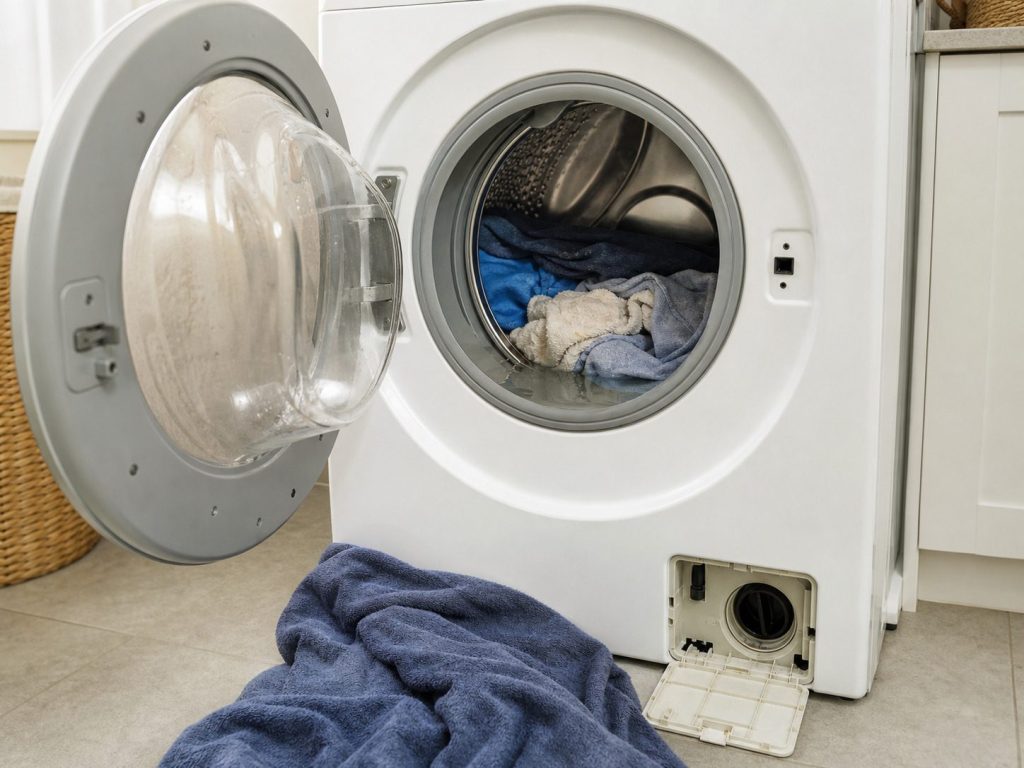
The cycle stopped and the drum is still full of water Washer will not drain
This is the one Whirlpool machine that tells you exactly what is wrong before anybody opens it. The washer times its own drain, and when the water has not gone in the time the cycle allowed, it stops and puts a name on the display. Read that name before you bail the drum out, because it is the difference between a coin in the pump and a control problem.
- Whirlpool's own label for a slow drain is a long drain, and it shows as Ld, F9 E1 or drn
- A drum still full at the end of a cycle is a pump or a hose question first, never a board question first
- The filter behind the lower access panel on a front-load machine is emptied over a towel, and there will be more water in it than anybody expects
-
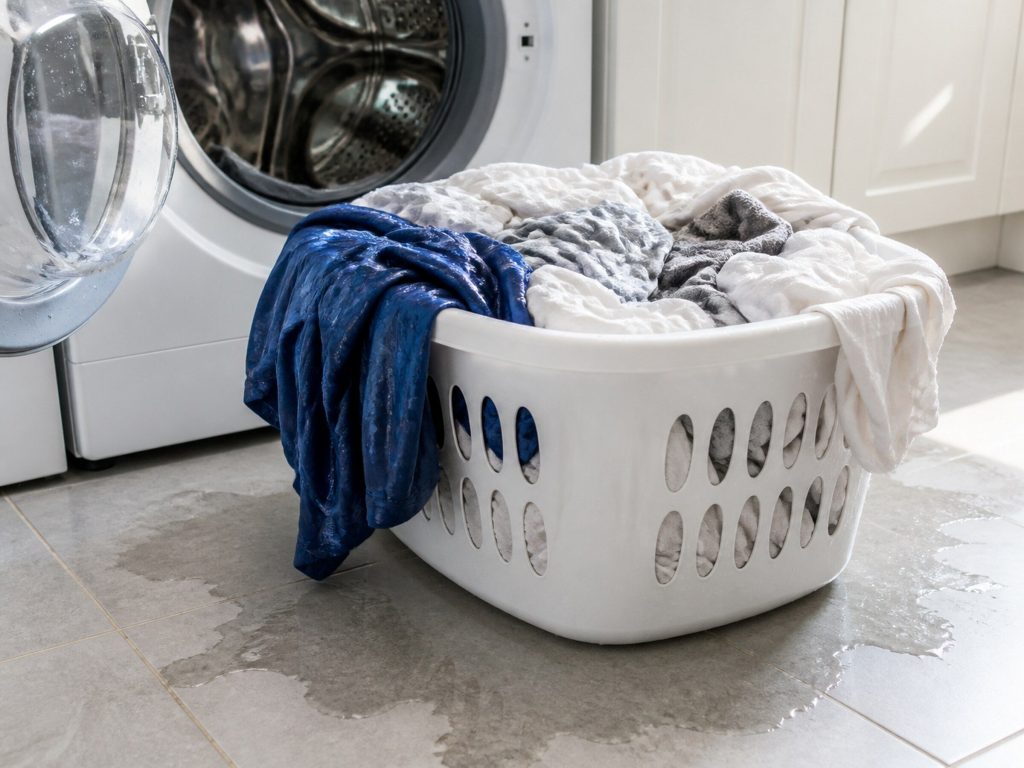
The cycle finishes and the load comes out soaked Washer will not spin
A load that comes out heavy and dripping has either not been spun or has been spun at a speed the machine chose for itself. Whirlpool machines lower the spin speed on their own when they cannot balance the drum, which is why a bath mat washed alone is the single commonest cause of this call, and the one that costs nothing.
- uL and oL are the machine telling you about the load, not about itself
- A top-load HE washer with no agitator balances by sensing weight, and one heavy item defeats it
- F7 E1 is a motor speed problem, and it is the point where the visit stops being free advice
-
Forty minutes on the display, three hours on the clock Washer cycle takes hours to finish
A Whirlpool washer does not run a fixed cycle. It measures, and it adds time whenever a measurement is not where it should be. So a cycle that keeps growing is the machine telling you it is repeating something — extra rinses to clear foam, extra fill attempts, extra drain attempts — and each of those has its own name in the maker's own table.
- The time on the display is an estimate the machine revises, not a countdown
- Sud is the most common reason a wash doubles in length, and the cause is usually the detergent
- A slow fill and a slow drain both add time before either shows a code
-
The cycle starts, the drum stays empty Washer will not fill, or fills too slowly
Whirlpool washers watch the water arriving and stop when it does not. The machine gives this one three different labels depending on how old it is and which control it has — LF, Lo FL and F8 E1 are one finding under three names, and the maker's own wording is that the washer is taking too long to fill or is not detecting the right amount of water coming in.
- LF, Lo FL and F8 E1 are the same condition, spelled three ways
- HC and F3 E2 mean the hot and cold hoses are on the wrong way around, which happens on every move
- The problem is on the wall more often than in the washer
-
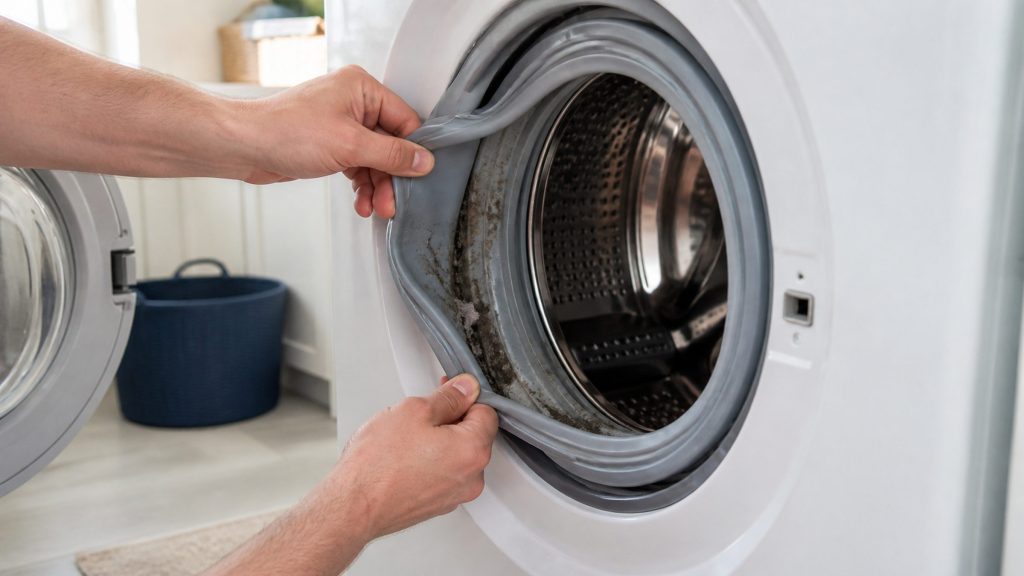
The laundry comes out of a clean machine smelling worse than it went in Washer smells musty
This is the most South Florida call on this whole site. A front-load washer holds a small amount of water in the door seal and the drain path by design, and nine humid months a year keeps a closed laundry closet at a temperature and a humidity where that water grows something. The machine is not broken. It is being asked to dry out in a room that never does.
- The odor lives in the door gasket and the dispenser, not in the drum
- A washer in a closed laundry closet in August never dries out between loads
- Whirlpool publishes a Clean Washer cycle and a CL reminder for exactly this
-
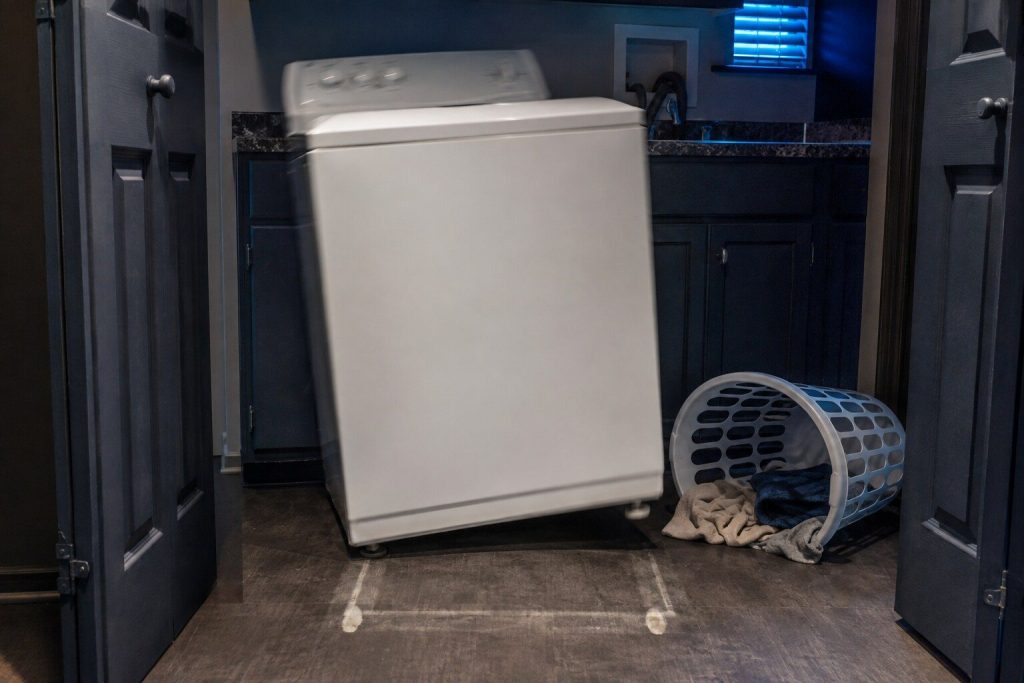
The whole laundry closet shakes at the end of every cycle Washer walks across the floor or bangs on spin
A washer that moves is telling you something specific: the drum is spinning a load it cannot balance, on a cabinet that is not sitting square. Whirlpool publishes three separate pages on vibration for a reason — it is a common report, and the first two causes are things anybody can check with their hands.
- Leveling comes first, and a washer over a tile floor moves out of level on its own
- A machine that bangs on every spin will eventually destroy its own suspension
- Shipping bolts left in a new front-loader produce a noise nobody forgets
-

Everything comes out warm and still damp Dryer takes two cycles to dry one load
This is the most common dryer call we take, and Whirlpool has a code for it that is unusually blunt. AF, printed on some machines as Check Vent, is restricted air flow, and the maker's own wording names a clogged lint screen or vent. A dryer does not dry clothes with heat. It dries them by moving hot air through them and taking the moisture out of the room.
- AF and Check Vent are the same code, and F4 E3 is the numbered version of it
- A dryer venting into a closet has nowhere to put the moisture it removes
- Long flexible ducting behind a machine pushed back into an alcove crushes flat
Not every code is a problem
Four of these mean the machine is working
LOC on a range is the control lock, cleared by holding START/ENTER for five seconds. Lock on a cooktop is the same feature, cleared by holding LOCK for three. Sud on a washer means it has found too many suds to spin against, so it is adding water and extending the rinse by itself — the maker documents that as normal behavior. And PF means the cycle was interrupted by a power failure, which this county supplies free of charge several times a summer. All four get called in as breakdowns, which is why they have pages of their own here.
Before you call
Questions about codes
The code is not on this list.
Tell us exactly what it says, both halves, with any space between them, and which appliance it is on. This maker runs several control generations and a code can be printed slightly differently between them. If it is genuinely one we have not published, we would rather find that out than guess at it.
Should I reset the machine?
Record it first. Resetting takes the code off the glass and leaves whatever caused it exactly where it was, and that code is the best thing a first visit can begin with. After that, yes — the maker's own first step for a great many of these is to cut power at the breaker for one minute and restore it. A code that clears and stays clear was a condition; one that returns has a part behind it.
My refrigerator has no codes at all. Is that normal?
On this make, yes, and it is the single most surprising thing about it. There are no code pages published for a top-freezer cabinet or an upright freezer, and nine in total for a side-by-side. What these cabinets use instead is indicator lights — cooling off, door alarm, air filter, H2O — and those are worth reporting when you call. Everything else on the cold side is measured rather than read.
Why does the same code have several pages here?
Because it has several meanings. This control platform is shared across a whole corporation and across every room of the house, and one code number can belong to a water pressure sensor in the laundry and a temperature sensor at the range. One page per code per appliance is how the maker's own base is organized, and it is the only arrangement that does not make three quarters of the readers wrong.
In more detail
How this archive is organized
Per code, per appliance
The maker’s own base publishes a separate page for the same code in each room it appears in, and this archive follows it, because the alternative is a single page that is right about a washer and wrong about a range. Every page here names its appliance in the title, so a search that includes the machine lands on the page that answers it.
What is the maker’s and what is ours
The code strings, the appliance each belongs to and the sentence the maker publishes about it are facts, checkable against the maker’s own support library, and they are quoted and marked as quotations. The reading around them, the order of the steps and the judgement about what a code usually turns out to be in a house on this coast are ours. We do not publish a code the maker has not, and where the maker publishes a number with no mechanism behind it we print that fact rather than a plausible invention.
Where this make says nothing
1,108 code pages are live in the maker’s base and they are unevenly spread: 176 on wall ovens, 170 on ranges, 88 on the laundry tower, 83 on electric cooktops, 70 on top-load washers — against 24 on French door refrigerators, nine on side-by-side, and none at all on top-freezer refrigerators, upright freezers or gas cooktops. A branch of 224 built-in microwave pages is still listed in the maker’s own sitemap and every URL under it answers 404; it was measured by request rather than assumed, and nothing on this site cites it.
Quote both halves of the code, and name the appliance.
With those and the model number we can usually name a likely part before anybody sets off. Watch the display alternate before you write it down.
This article is based on:
- Official manufacturer documentation
- Internal repair procedures
- Technician repair history
- Company quality standards